

How to Organize Your Computer Desktop Like a Minimalist
Your step-by-step digital declutter guide

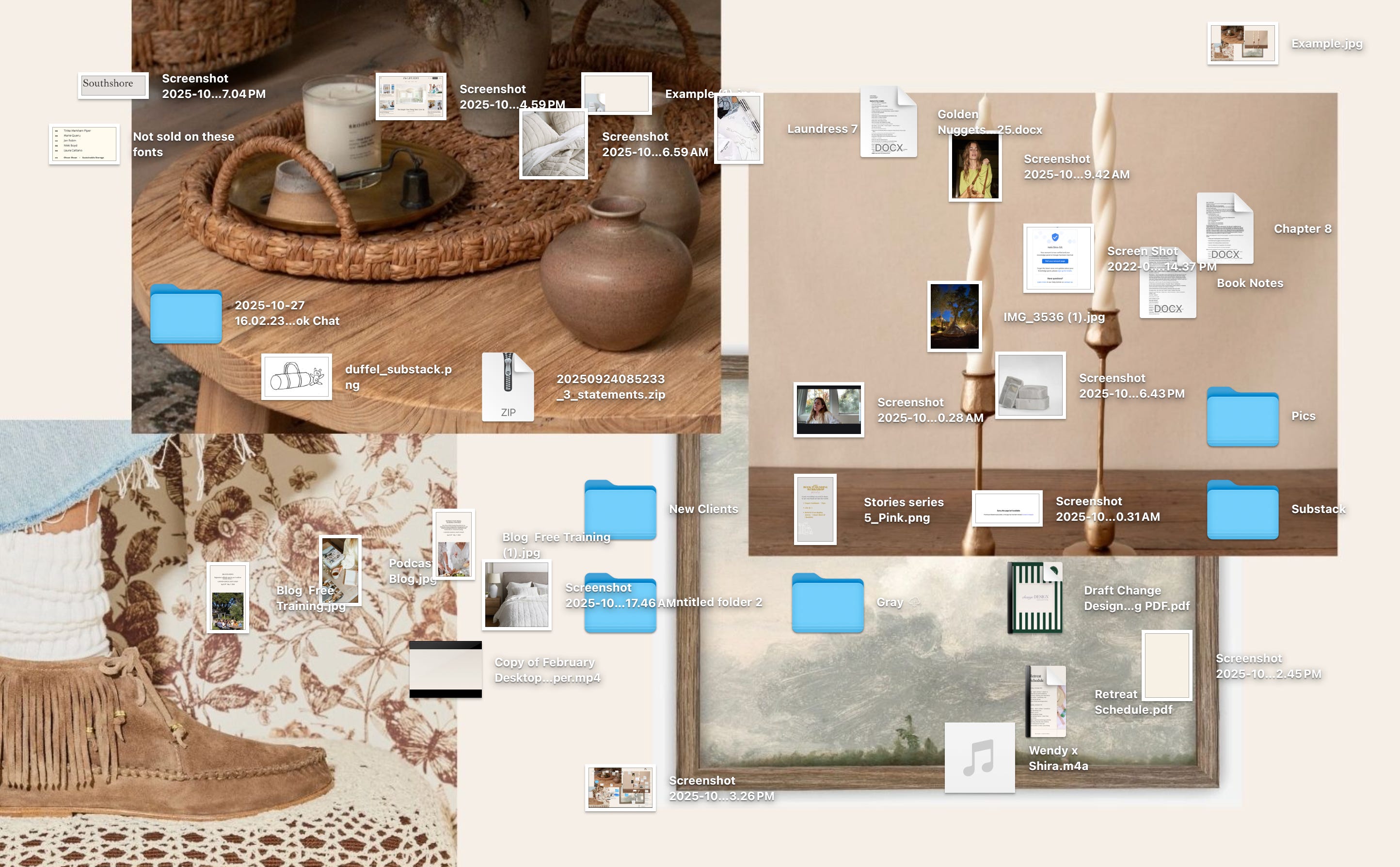
Like most people, I used to have a chaotic jumble of screenshots, random downloads, and stray folders scattered across my computer screen. Every time I opened my laptop, I was greeted by some degree of digital chaos—and it wasn't doing my focus any favors.
So, I decided to overhaul my desktop using the simple, five-step process I first shared in my first book, Minimalista. The result? A calm, clutter-free screen that makes me feel more focused and in control every time I sit down to work. Here's exactly how I did it—no tech wizardry required.
Step One: Clarify
My goal was simple: make it easy to find what I need at a glance and eliminate visual noise and clutter.
Step Two: Edit
This part took less than five minutes. I kept only what I truly needed (client files, current projects, life documents) and trashed the rest (old downloads, duplicates, random zip files). If you're not ready to delete, create a temporary "Review Later" folder to sort through another time. The goal is to create spaciousness and eliminate visual distraction in the most efficient way possible.
Pro Tip for Ruthless Editing: Start with the obvious: Delete obvious junk first—random screenshots, duplicate downloads, empty folders, and files with names like "Untitled53" or "Screen Shot 2023."
Step Three: Organize
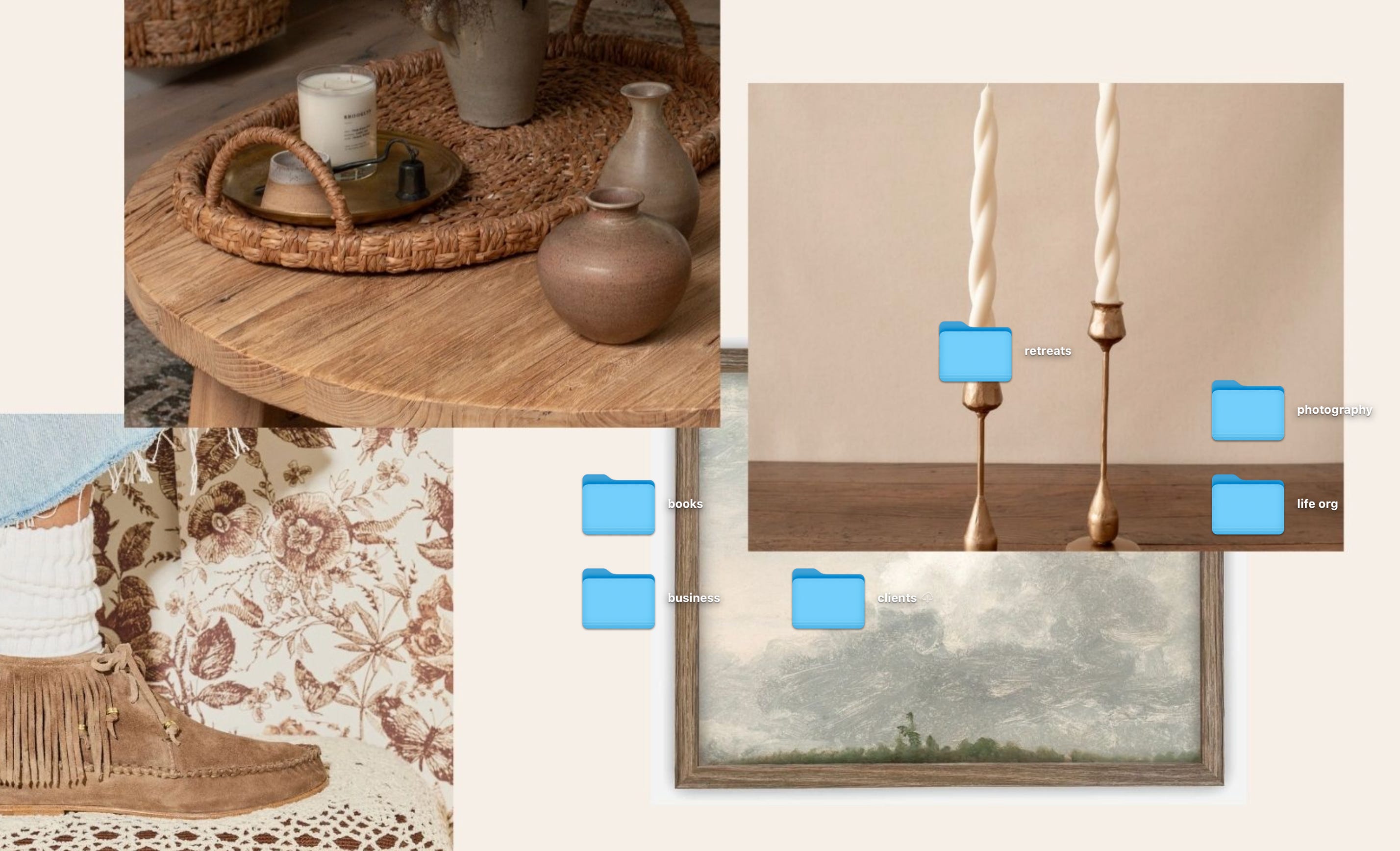
Here's where the magic happens. I created simple folders for my biggest life and work buckets:
Life Org
Business
Books
Client Docs
Retreats
Photography
Everything I own can live neatly in one of these six folders. SO simple.
Pro Tips for Smart Organization:
The 5-folder rule: Limit yourself to 5 main folders max. If you need more, create subfolders within these
Action-based naming: Consider folders like "To Process," "Current Projects," and "Archive" based on what you DO with files, not just what they are
Date everything: Add dates to project folders (2024-12-Client-Launch) so they naturally sort chronologically
Step Four: Elevate
Once my desktop was streamlined, I gave it a little style refresh. I created a minimal wallpaper (for free in Canva) and swapped my bright blue Mac folders for calming neutral tones. (Just Google "how to change folder color on Mac" for an easy step-by-step) Now when I open my laptop I smile and invite strangers to check it out. Kidding, but I am quite delighted by it, which motivates me to maintain it - everything feels calm, clean, and intentional.
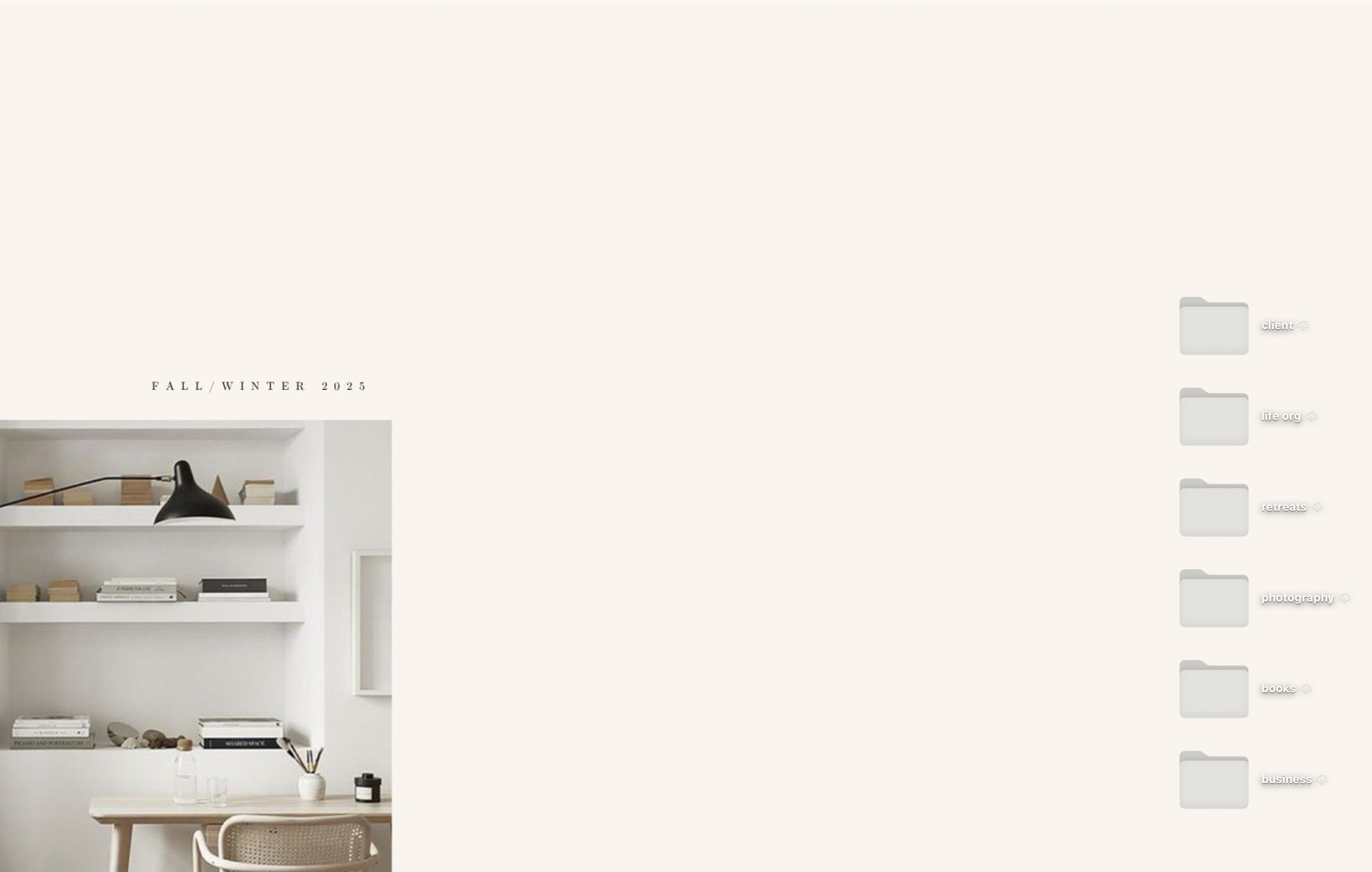
If you're craving something jazzier, you could download a bold wallpaper, turn your folders every color of the rainbow, or even swap them for any image you like. Just when I thought life couldn't get better, Chloe showed me how to turn my work folders into actual ICE CREAM CONES. Now convinced that anything is possible.
Step Five: Maintain
This part is key: every week I spend 15 minutes dragging files into the right folders (or the trash). Keeping it clean is way easier than doing a giant overhaul later—and I can find what I need in seconds.
Pro Tips for Effortless Maintenance:
The Friday File-away: Make it a weekly ritual—every Friday at 4:55 PM, spend 5 minutes filing away the week's digital debris
Desktop rule: Never let more than 6 items live on your desktop at once. When you hit 7, it's time for a quick cleanup
Screenshot audit: Set a monthly phone reminder to delete old screenshots—they multiply like digital rabbits
READER PROMPT: Which digital black hole needs your attention? Photo library? Email inbox? The dreaded Downloads folder of doom? Drop a comment and tell me your biggest digital pain point—I would love to know what you're struggling with most.


Don’t Miss: The Real Key to Finding Work You Love via
Watching: Mr Scorsese streaming on Apple TV explores the life and career of iconic director Martin Scorsese - already hooked!
Making: Farro with roasted fennel, lemon, and basil - to the recipe
Fewer Better Finds: A budget-friendly cable crewneck sweater and the sweater I stole from Jordan, I officially have a basket problem, send yourself some PIE!

1:1 Business Mentoring: No-fluff strategy and support to help you tackle your large and small goals. Get support here
My Signature Online Course: Learn how to edit, organize, and elevate your home like a pro. To the course
Curated Product Recs: My fewer better faves for your home, life, and wardrobe. To the recs
I Wrote Some Books: Actionable strategies to clear clutter, get organized, & elevate your home and life. To the books

Order LifeStyled now from your favorite bookshop! bookshop | target | amazon | barnes and noble | signed copies - now available in the UK, Australia, and New Zealand
I don't put anything on my desktop, mostly because I don't know how, but I'd love similar advice on what to do about digital photos!
I love this suggestion and I always look forward to reading your newsletters. Thanks for putting great content out consistently!